Delverium Dedicated Servers
Official listen-server rules, why Sagestone has no dedicated binary, and how third-party Lodestone fits.
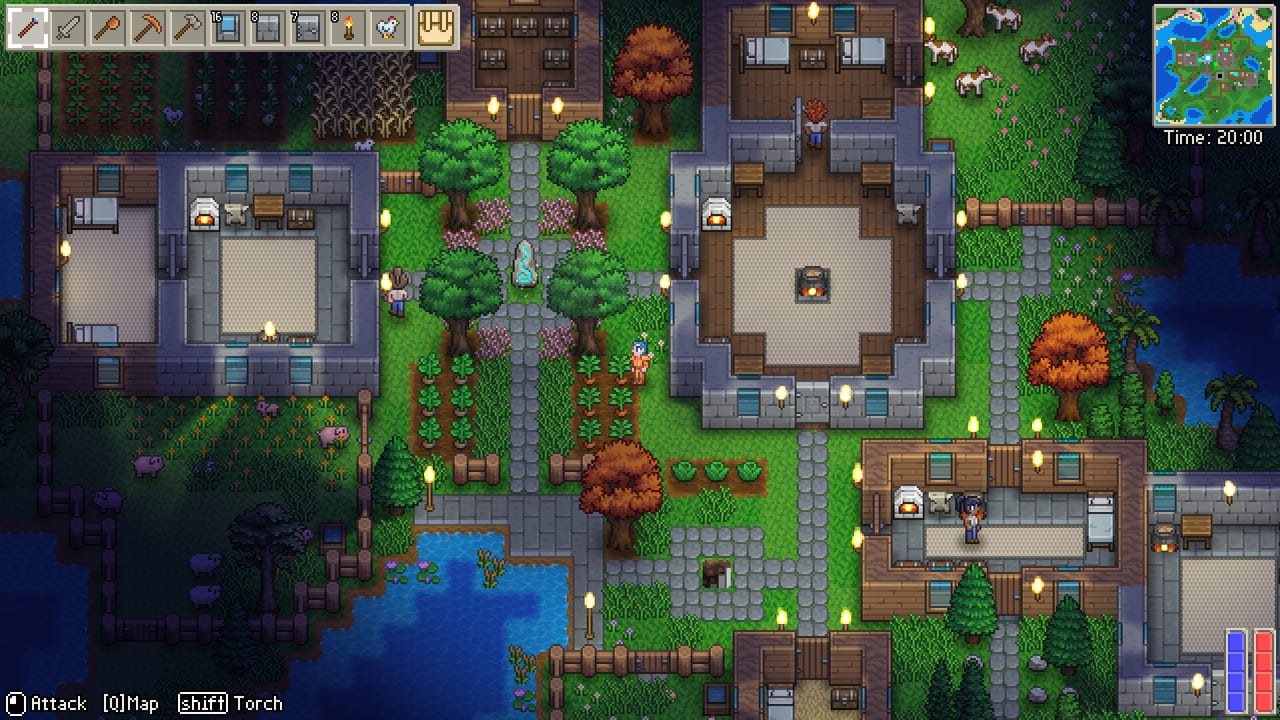
Delverium’s co-op model is a listen server. The world lives on one player’s PC while that player has the game open. Close the client, and the seed is parked until the host returns. Sagestone Games has no official dedicated server, and none appears on the Steam Early Access FAQ or the public roadmap. That is the whole official story. Everything below it is either how to live with that rule or how a third-party project named Lodestone tries to work around it.
This page will not brand Lodestone as a Sagestone product. Scott Lowther (Skoddle) did not list dedicated hosting in the Q4 2025 plan, the June 2026 development update, or the September 22 Early Access FAQ. Community tools can still be useful. They are still unofficial.
Official behaviour (what you get on Steam)
After the February 2026 demo update, public builds support:
- Solo play
- 4-player split-screen on one machine
- 8-player online co-op with Steam friends
- Simultaneous split-screen + online in the same session, drop-in / drop-out
Friends join through Steam’s usual invite / join-game flow. There is no official server browser. The host’s hardware runs simulation; everyone else is a client. If the host’s internet drops, the session drops. If the host alt-tabs into a download that saturates the NIC, everyone feels it. Read co-op for seating and invites; read system requirements if the host machine is the weak link.
The demo has been on Steam since February 2025 and already uses this model, so you can practise hosting before Early Access on September 22, 2026. Demo worlds are a short slice; do not assume a demo seed will migrate. The hosting rule itself — world on the host PC — is what carries forward.
Why there is no official dedicated binary
Survival sandboxes often add a headless server so a world can stay up 24/7. Sagestone’s written 1.0 list is biomes, bosses, loot, NPC options, deeper lore, maybe achievements and languages. Dedicated servers are not on that list. A small Brisbane team shipping a family co-op game is optimising for “open Steam, host, play,” not for a Linux systemd unit. Playtests and the demo all assume a player is in the world.
If that changes, it will show up as a Steam news post. Until then, this wiki will not invent an official DelveriumServer.exe.
Lodestone (community, open source)
Lodestone is an open-source dedicated-server framework maintained outside Sagestone. Public host documentation (for example Survival Servers’ Delverium product page) describes it as running the game as a proper server with no local player logged in, so the world no longer depends on one person’s desktop staying awake.
Practical points those hosts and the GitHub project agree on:
- Not official. Do not email Skoddle about a Lodestone panel outage.
- Join path. Delverium has no native server browser, so players typically install a Lodestone app, enter the server address from the host panel, and connect that way.
- Slot cap. 8 slots, matching the game’s co-op cap. Paying for 16 slots will not raise Delverium’s design limit.
- Game files. The host machine still needs Delverium files. The free demo build is what community hosts have used while the paid app is upcoming; after September 22 the full game files replace that role.
- Ports. Typical listings mention two UDP ports (gameplay and status) plus the ability to port-forward if you self-host.
Paid wrappers such as Survival Servers rent a machine, wire Lodestone, and give you a panel, backups, and an address. Other hosts may appear. This wiki is not a shopping guide and does not endorse a vendor. Compare uptime, region, and backup policy yourself.
Self-hosting Lodestone on a spare PC is possible if you are comfortable with GitHub releases, firewall rules, and the fact that you are now on the hook when a friend cannot connect. The tools hub exists so that sentence sits next to the spec table: a dedicated host still needs a 64-bit Windows environment that can run the game files, plus a stable connection.
When you actually need this
Stay on Steam listen-server if:
- Your group plays in scheduled sessions and the same person can host each time.
- You are on a couch with split-screen plus one or two remote friends.
- You are still evaluating the demo and do not want a monthly VPS bill.
Look at Lodestone or a paid wrapper if:
- People hop in from different time zones and nobody wants to leave a gaming PC unlocked.
- You want automated backups of a long-running farm.
- The usual host’s machine cannot take eight players, but a small rented box can.
Handheld hosts are a bad default. A Steam Deck can play; using it as the 24/7 world authority means the Deck stays awake, plugged in, and on Wi-Fi. Prefer a desktop or a rented host for that job.
Safety and expectations
- Saves. Third-party hosts advertise backups. Steam Cloud behaviour for listen-server worlds should be verified at unlock; do not assume a rented panel and Steam Cloud are the same folder.
- Mods and cheats. Lodestone does not make unofficial cheats official. This wiki will not document exploit servers.
- Terms. You still need a legitimate Steam copy. A host that asks you to skip Steam is not a source to follow.
- Support. Sagestone’s Discord is for the game. Lodestone issues go to that project’s GitHub. Mixing the two wastes everyone’s time.
- Price. Early Access will raise the game’s store price over time. That is unrelated to VPS bills. You can pay for both, either, or neither.
For who is actually making the game, see players. For store and social URLs, see links. For whether the slice is worth hosting at all, see review. New hosts should still read getting started so they know what a first night of farming and delving looks like before they rent a box.
Bottom line
Official Delverium co-op is “one friend leaves Steam open.” That is enough for a family session, which is how Skoddle started the project. If your group needs a world that outlives the host’s bedtime, you are leaving the official feature set and entering community Lodestone territory. Keep those layers straight, cap the server at eight, and do not wait for a Sagestone dedicated build that is not on the roadmap.
When — if — an official headless server appears in Steam news after September 22, this page will say so in the first paragraph. Until that post exists, treat every “Delverium dedicated server” product as a Lodestone wrapper, not as Brisbane shipping infrastructure.
Frequently Asked Questions
Quick answers to the most common Delverium questions.
Does Delverium have official dedicated servers?
No. Sagestone has not shipped one and has not listed one on the Early Access FAQ or public roadmap. The world lives on the host PC while the game is open.
What is Lodestone?
An unofficial open-source framework (github.com/HumanGenome/Lodestone) that can run a Delverium world without a logged-in host. It is not a Sagestone product.
How do friends join a Lodestone server?
There is no official server browser. Players typically use the Lodestone app and the address from the host panel. Slot cap remains 8.
Can I host 16 players if I rent a bigger VPS?
No. Delverium’s co-op cap is 8, whether you use Steam listen-server or a third-party host.
Should I rent a server for the demo?
Only if you are practising a 24/7 workflow. Most groups can test the demo with a listen-server host. The demo slice is only about one to two hours of content.
Will 1.0 add official dedicated servers?
That is not in Sagestone’s published 1.0 list. Watch Steam news; do not treat community hosts as a promise from the studio.