Delverium System Requirements
Minimum and recommended PC specs from the Steam store page, plus language and co-op hosting notes.
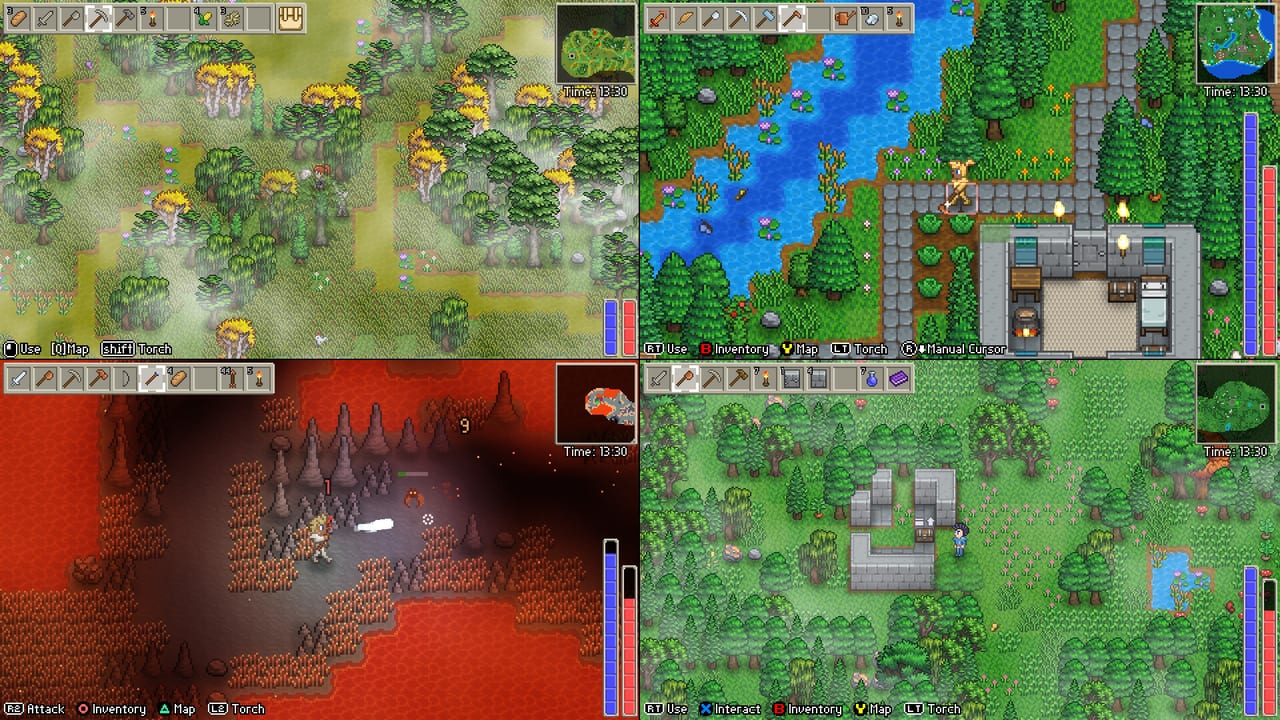
Delverium is a 2D pixel sandbox. Sagestone Games published modest DirectX 11 targets on the Steam store page (app 2710040). Copy those numbers first; third-party “can you run it” sites sometimes invent CPU SKUs that Steam never named. This page restates the official table as of the current store listing, then explains what it means for laptops, integrated graphics, co-op hosts, and the Steam Deck.
The paid game is still upcoming until Early Access on September 22, 2026 (store may show September 21). The demo has been on Steam since February 2025 and is the correct way to verify a machine. Demo store copy has, at times, listed 200 MB of disk instead of 350 MB; believe the full-game table below unless Sagestone posts a new FAQ.
Official Steam table
Minimum
| Item | Spec |
|---|---|
| OS | Windows 10 64-bit (64-bit processor and OS required) |
| Processor | Intel Core i3 / AMD Ryzen 3 |
| Memory | 4 GB RAM |
| Graphics | Intel HD 4000 / GeForce GT 420 / AMD Radeon HD 5500 |
| DirectX | Version 11 |
| Storage | 350 MB available space |
Recommended
| Item | Spec |
|---|---|
| OS | Windows 10 64-bit (64-bit processor and OS required) |
| Processor | Intel Core i5 / AMD Ryzen 5 |
| Memory | 8 GB RAM |
| Graphics | Intel Iris Xe / GeForce GTX 750 / AMD Radeon HD 7770 |
| DirectX | Version 11 |
| Storage | 500 MB available space |
Steam does not list a macOS or Linux native build on the current page. Handheld play is a Steam Deck / Proton story, not a separate SKU. There is no 4K preset, no ray tracing toggle, and no “ultra textures” slider to plan around. If a site tells you that you need 16 GB of RAM or an RTX card, it is talking about a different genre.
How to read the GPU names
Intel HD 4000 is 2012-era laptop graphics. GT 420 and Radeon HD 5500 are similarly old discrete cards. The point of the minimum line is “almost any 64-bit Windows 10 PC that can run DirectX 11.” Recommended Iris Xe / GTX 750 / HD 7770 is still entry-level by 2026 standards. You bump to recommended when you want headroom for eight-player co-op, lots of farm sprites, and dungeon lighting — not because the renderer is heavy.
Integrated-graphics laptops should still:
- Install the game on an SSD if the machine has one (350–500 MB is tiny; the win is OS responsiveness).
- Close Chrome-class browsers if you only have 4 GB of RAM. The game’s budget is 4 GB system RAM, which the OS also uses.
- Plug in power on thin laptops; thermal throttling will hitch a 2D game just as it will hitch a browser.
- Test the demo with the same player count you plan for Early Access. One player on HD 4000 is not the same as a host plus seven clients.
CPU, RAM, and hosting
The world lives on the host PC while that player has the game open. If you are the host, you are running simulation for up to eight people. Minimum i3 / Ryzen 3 is acceptable for a quiet farm. Recommended i5 / Ryzen 5 plus 8 GB is the safer host target, especially if split-screen clients are also drawing extra views on the same box. Dedicated-server questions — including why Sagestone does not ship one — live on dedicated servers.
4 GB RAM is the official minimum, not a comfort zone for Windows 10 plus Discord plus a browser plus eight players. If you have 8 GB, you already match recommended memory. This wiki will not invent a hidden 16 GB requirement.
Storage and installs
350 MB minimum / 500 MB recommended is smaller than many mobile titles. Leave a little extra for Steam, shaders, and future Early Access biomes — Sagestone plans up to about two years of content after September 22, and download size can grow even if the 2D art stays compact. Put the install on the drive you actually play from. Cloud-save behaviour should be checked on the Steam page at unlock; do not assume Family Sharing works before release (Steam currently excludes unreleased apps from it).
Languages versus audio
Steam’s interface list is English, Japanese, French, German, Spanish (Spain), Korean, Portuguese-Brazil, Russian, Simplified Chinese, Ukrainian, and Traditional Chinese. That is UI localisation. It is not a full voice-over package. Jeff van Dyck’s contribution is music and sound design. The roadmap notes that Early Access may expand language support toward 1.0. Changing Windows display language is unrelated to these in-game options.
Full controller support is on the Early Access feature list. Rebinding arrived in the February 2026 demo update. Keyboard-and-mouse still works; there is no unique input spec on Steam beyond “full controller support.”
Demo versus Early Access hardware
Use one machine for both. The demo is a starting-biome slice of about one to two hours; Early Access adds hours of content, fishing, cosmetics, extra biomes, and bosses. Those additions are still 2D. They will add entities and map data, not a new renderer. If the demo already stutters when four pads and three online clients share a farm, fix that before September 22 — more NPCs and critters will not make the host lighter.
Pair this table with getting started once the game actually runs, and with co-op if your bottleneck is network rather than GPU. For a first-impressions verdict, see review. Studio context is on players; store and social URLs are on links. Return to the tools hub if you landed here from a search and still need the Deck or hosting pages.
If the game still stutters
Work the boring list before blaming the pixel art:
- Confirm 64-bit Windows 10 or newer and a DirectX 11 GPU.
- Cap background overlays (full-screen recorders on a 4 GB laptop will tank a 2D game).
- Rebind or simplify split-screen if one PC is drawing four views plus simulating the world.
- Host on the strongest machine in the group, not the Deck, unless you have already tested that Deck as host.
- File a report on Steam discussions or Discord with GPU name and player count. Skoddle cannot fix a hitch he cannot reproduce.
This page will track store-table edits after Early Access begins. It will not replace Steam’s own requirements block, and it will not inflate numbers to look more “AAA.” Delverium’s pitch is a family co-op sandbox that runs on ordinary PCs. The table above is that pitch in hardware form.
Frequently Asked Questions
Quick answers to the most common Delverium questions.
What are Delverium’s minimum specs?
Windows 10 64-bit, Intel Core i3 or Ryzen 3, 4 GB RAM, Intel HD 4000 / GT 420 / Radeon HD 5500, DirectX 11, and 350 MB of storage.
What are the recommended specs?
Windows 10 64-bit, Intel Core i5 or Ryzen 5, 8 GB RAM, Intel Iris Xe / GTX 750 / Radeon HD 7770, DirectX 11, and 500 MB of storage.
Does Delverium run on macOS or Linux natively?
Steam currently lists Windows. Steam Deck play is a handheld / Proton case covered on the Steam Deck page, not a separate Mac/Linux SKU.
Is 4 GB of RAM enough to host eight players?
It meets the minimum. For a host PC, 8 GB (the recommended line) is the safer target because Windows and Discord share that memory.
Will Early Access raise the requirements?
Sagestone has not posted a new table. Content will grow for up to about two years, so disk use can increase, but it remains a 2D DirectX 11 game.
Where should I test my PC?
The Delverium Demo has been on Steam since February 2025. Run it at the player count you actually plan to host.